the app
 #818CF8 ✓
#5EEAD4 ✓
#F9A8D4 ✓
Tiny window, big reach
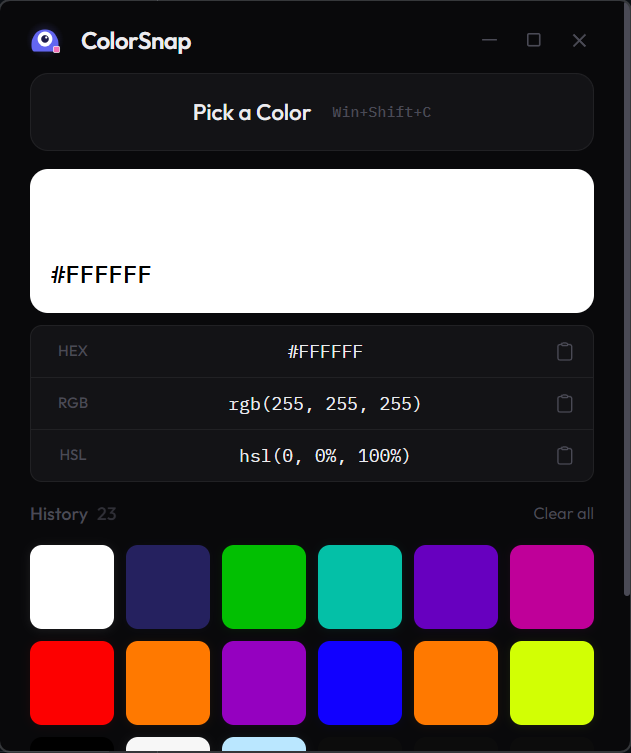
A clean little panel that hides while you pick and remembers everything you grabbed.
#818CF8 ✓
#5EEAD4 ✓
#F9A8D4 ✓
Browser eyedroppers stop at the browser. Figma's stops at Figma. Pixnib picks from every pixel on your screen and pops the hex straight into your clipboard. Wallpapers, videos, games, PDFs, all fair game.
Hover the strip and click to copy the hex. It feels just like the app.
A clean little panel that hides while you pick and remembers everything you grabbed.
#818CF8 ✓
#5EEAD4 ✓
#F9A8D4 ✓
Everything a designer needs from a picker, and nothing they don't.
Not sandboxed to a browser or one app. Any pixel on your screen is fair game: video frames, games, wallpapers.
Press Win Shift C from any app to start picking, and again to capture. Esc cancels.
Copy in whichever format your tool wants. Right-click any color in history to switch formats.
Every color you've picked is saved and browsable, so yesterday's perfect blue is never lost.
The value lands in your clipboard the instant you pick. No extra click, no dialog.
Lives in your system tray with a minimal dark theme that stays out of your way.
From "ooh, that color" to clipboard in about two seconds.
Press Win+Shift+C or click "Pick a Color" in the app.
The app hides so your whole screen is visible.
Point at any pixel and press the hotkey again to capture it.
Done! The color is on your clipboard and saved to history.
Made by Aleena Tahir. Bug reports, feature ideas and color opinions are all welcome.